In today’s world, where electricity powers almost every aspect of our lives, a sudden power failure can cause significant disruptions. Whether it’s your home computer, office network, or critical industrial equipment, power interruptions can lead to data loss, operational downtime, and even hardware damage. This is where a UPS, or Uninterruptible Power Supply, comes into play. But what is a UPS, and why is it essential?
Definition of UPS
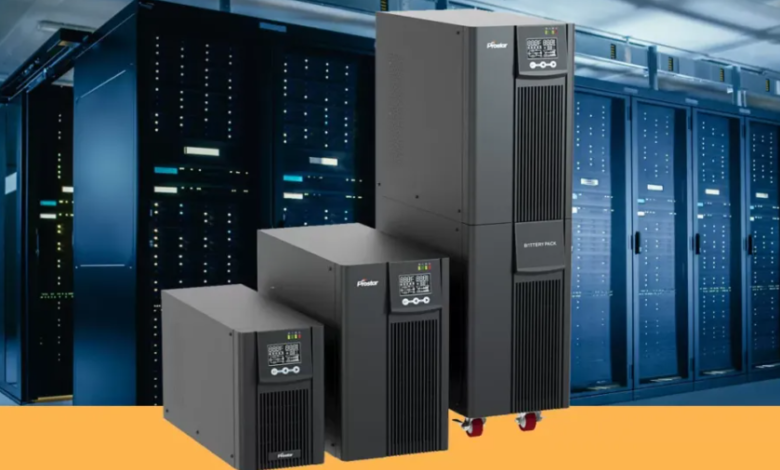
A UPS (Uninterruptible Power Supply) is an electrical device that provides backup power to electronic devices in the event of a power outage, voltage drop, or fluctuation. Unlike a regular battery, a UPS ensures that connected devices continue to receive clean and stable power without interruption. Its primary function is to protect sensitive equipment from unexpected power disturbances and maintain continuity of operations.
See also: Exploring Sustainable Building Practices with New Home Builders in Perth
How Does a UPS Work?
A UPS system works by storing electrical energy in its internal battery and supplying it to connected devices during power interruptions. Depending on the type of UPS, the process can vary slightly:
- Offline/Standby UPS: This is the most basic type. It remains idle until a power failure occurs. When the main power supply fails, it switches to battery mode to provide electricity.
- Line-Interactive UPS: This type continuously monitors incoming power and adjusts voltage fluctuations without switching to battery mode immediately. It is ideal for areas with frequent but minor voltage issues.
- Online/Double Conversion UPS: The most advanced type, which constantly converts incoming AC power to DC and then back to AC. This ensures consistent, clean power supply with no transfer time during outages.
Key Components of a UPS
A UPS is more than just a battery. Its main components include:
- Battery: Stores electrical energy to provide backup power during outages.
- Rectifier/Charger: Converts incoming AC power to DC to charge the battery.
- Inverter: Converts stored DC power back to AC for connected devices.
- Automatic Transfer Switch (ATS): Switches the power source from mains to battery instantly during a power failure.
- Surge Protector: Protects equipment from voltage spikes and electrical surges.
Benefits of Using a UPS
- Power Continuity: Ensures that devices remain operational during sudden power cuts.
- Equipment Protection: Prevents damage to sensitive electronics caused by voltage fluctuations.
- Data Safety: Avoids loss of unsaved data in computers and servers.
- Improved Efficiency: Reduces downtime for businesses, ensuring continuous productivity.
- Peace of Mind: Provides a reliable safety net against unpredictable power interruptions.
Applications of a UPS
UPS systems are used in a wide range of applications, including:
- Home Use: To protect personal computers, gaming consoles, and Wi-Fi routers.
- Offices and IT Infrastructure: Ensures servers, network devices, and data centers remain operational.
- Industrial Settings: Safeguards manufacturing equipment, machinery, and control systems.
- Healthcare: Critical for medical equipment in hospitals and laboratories.
- Telecommunication: Maintains continuous operations for communication networks.
Types of UPS by Usage
- Small-Scale UPS: Suitable for personal computers and home electronics.
- Medium-Scale UPS: Designed for office networks, servers, and small data centers.
- Large-Scale UPS: Used in industrial environments, large data centers, and critical infrastructure.
FAQs About UPS
1. How long can a UPS provide backup power?
The backup duration depends on the battery capacity and the load connected. Small UPS systems may provide 5–30 minutes, while larger systems can run for several hours.
2. Can a UPS replace a generator?
No. A UPS is designed for short-term backup and immediate power protection, whereas a generator provides long-term power supply but may take time to start.
3. Do all UPS systems protect against voltage fluctuations?
Most modern UPS systems include voltage regulation, but line-interactive and online UPS types are more efficient at handling voltage fluctuations.
4. How do I maintain a UPS?
Regularly check the battery health, ensure proper ventilation, and test the system periodically to ensure it functions during outages.
5. Is a UPS necessary for home use?
While not mandatory, a UPS is recommended for protecting sensitive devices like computers, modems, and entertainment systems from unexpected power interruptions.
Conclusion
A UPS (Uninterruptible Power Supply) is an essential device for protecting electronics from power interruptions, voltage fluctuations, and electrical surges. It ensures uninterrupted operation, safeguards critical data, and provides peace of mind both at home and in business settings. Choosing the right UPS depends on your specific power needs, device sensitivity, and required backup duration. With a reliable UPS system, you can prevent costly damage, minimize downtime, and ensure that your devices continue running smoothly even during unexpected power failures.